

10 Best Digital Asset Management Software I Tested in 2026

10 Best Digital Asset Management Software Shortlist


Digital asset management (DAM) software helps teams organize, store, retrieve, and distribute digital content like images, videos, documents, and brand assets. This gives you a centralized hub to store and retrieve files with ease. Without a structured system in place, you’re stuck digging through folders, dealing with version control issues, or wasting time recreating missing files.
However, it's difficult to pick one out of the dozens of tools available on the market. Therefore, I’ve spent hours testing and evaluating different DAM platforms to see how they actually work in real-world project environments.
This list includes digital asset management tools that I believe have the right features and the capacity to scale nicely across different industries.
You Can Trust Our Digital Asset Management Software Reviews
We’ve been testing and reviewing DAM software since 2012. As project managers ourselves, we know how critical and difficult it is to make the right decision when selecting software.
We invest in deep research to help our audience make better software purchasing decisions. We’ve tested more than 2,000 tools for different Project Management use cases and written over 1,000 comprehensive software reviews. Learn how we stay transparent & our DAM software review methodology.
Table of Contents
The Best Digital Asset Management Software Comparison Chart
Here’s a summary chart with all the tools we just discussed. Perfect for comparing these options and making a decision. If, however, you want to expand your research, we have more tools below.
| Tool | Best For | Trial Info | Price | ||
|---|---|---|---|---|---|
| 1 | Best for AI-powered search & collaboration | Free demo available | Pricing upon request | Website | |
| 2 | Best for AI-driven asset organization | Free plan available | From $10/month (billed annually) | Website | |
| 3 | Best for enterprise brand consistency | Free demo available | Pricing upon request | Website | |
| 4 | Best for cloud-native content publishing | Free demo available | Pricing upon request | Website | |
| 5 | Best for custom branding | 30-day free trial | From $29/user/month | Website | |
| 6 | Best for role-based team collaboration | Free plan available | From $99/month (billed annually) | Website | |
| 7 | Best for being MACH-certified | 14-day free trial | From $213/month | Website | |
| 8 | Best for AI-powered visual search | 30-day free trial available | From $250/month (billed annually) | Website | |
| 9 | Best for mid-markets wanting unlimited storage | 7-day free trial | From $100/month/user | Website | |
| 10 | Best for integrated DAM and PIM | 14-day free trial | Pricing upon request | Website |

-

Accelo
Visit WebsiteThis is an aggregated rating for this tool including ratings from Crozdesk users and ratings from other sites.4.4 -
Celoxis
Visit WebsiteThis is an aggregated rating for this tool including ratings from Crozdesk users and ratings from other sites.4.4 -
Wrike
Visit WebsiteThis is an aggregated rating for this tool including ratings from Crozdesk users and ratings from other sites.4.3





Best Digital Asset Management Software Reviews
Below are the detailed overviews containing what each software is best for, why I’ve selected them to be a part of this list and their standout features.This list includes digital asset management tools that

MediaValet is a digital asset management solution that helps organizations easily manage, find, and share their high-value digital assets (source, WIP, and final). It helps teams improve their productivity, increase asset ROI and drive revenue growth.
I recently spoke with Hasan Hanif, the founder and CEO of Colour Vistas, about how his team uses MediaValet in their projects that involve creating resources for sublimation printing. "Tagging and the search capabilities in particular were very useful because we could get what we wanted in a short period of time," he says. He also found the version control capabilities useful: "The other thing I liked was the good version control since nobody was working on an out-of-date file," he explains.
Who Is MediaValet Best For?
Marketing and creative teams at mid-sized to enterprise organizations that need AI-assisted search and structured collaboration across large digital asset libraries, often in content-heavy environments.
Why I Picked MediaValet
This tool has a massive global footprint, making it available in 140 countries. On top of that, advanced search and tagging features enable users to pinpoint what they need in seconds. MediaValet also supports collaborative AI content creation with automated tagging and indexing. Its AI can recognize and tag spoken words, topics, locations, people, objects, and generate transcripts and subtitles in 60+ languages—helping teams organize and collaborate on content efficiently.
With unlimited users and administrators included in enterprise subscriptions, MediaValet allows teams worldwide to scale quickly and cost-effectively. Plus, unlimited training and support ensure that all users are confident using the system and can maximize its value.
MediaValet Key Features
In addition to its AI capabilities, MediaValet offers several other features for digital asset management.
- User Permissions and Access Controls: You can manage who can view, edit, or share assets within your organization to maintain data integrity and security.
- Version Control: This lets you keep track of asset revisions and make sure your team always has access to the latest version, which minimizes confusion and errors.
- Customizable Metadata Fields: You can tailor the metadata fields to suit your organization’s specific needs, which improves organization and retrieval of assets.
- Cloud-Based Accessibility: You can access your digital assets from anywhere, which means more flexibility and convenience for teams working remotely or across multiple locations.
MediaValet Integrations
Integrations include Wrike, Workfront, Slack, Okta, Active Directory, WordPress, Drupal 8, Adobe Creative Cloud, SharePoint, Office 365, and Hootsuite. You can also access an open API to build custom integrations with your current tech stack.
Pros and Cons
Pros:
- Advanced security features keep assets protected
- Robust search capabilities allow for quick location of assets
- Mobile access allows for asset management on the go
Cons:
- Potential learning curve for new users
- Limited options for customizing the user interface

Air is a visual workspace and digital asset management platform built for creative teams. Designed for creative teams across industries, Air provides a visual workspace that integrates seamlessly with your creative processes. By focusing on centralization and AI-driven tools, it helps you overcome hurdles like disorganized assets and inefficient workflows, ensuring your team operates with clarity and precision.
Why I Picked Air
I picked Air because its AI-driven capabilities are particularly well-suited for digital asset management. The platform's facial recognition and smart tagging features ensure that your assets are easily searchable, saving valuable time for your team. Additionally, its conversational search functionality allows you to find assets using natural language queries, which simplifies the retrieval process and enhances productivity. These features directly address the common challenges faced by teams in organizing and accessing digital content.
Air Key Features
Aside from the features mentioned, I also found the these functionalities noteworthy:
- Visual Workspace: Air provides a centralized hub where your team can store, organize, and collaborate on digital assets in a visually intuitive environment.
- Annotations: This feature allows team members to provide feedback directly on the assets, streamlining communication and reducing the back-and-forth typically involved in creative processes.
- Version Control: Air helps you keep track of different versions of your assets, ensuring that your team always has access to the most recent updates without losing historical data.
- Enterprise-Grade Security: With robust security measures, Air ensures that your digital assets are protected against unauthorized access and data breaches.
Air Integrations
Integrations include Slack, Adobe Creative Cloud, Google Workspace, Microsoft Office 365, Dropbox, Box, Zapier, and more.
Pros and Cons
Pros:
- User-friendly interface
- Good asset feedback and approval features
- Smart search for quickly locating assets
Cons:
- Not ideal for non-visual assets
- Lacks a dedicated mobile app
New Product Updates from Air

Air Integrates With WordPress and Shopify
Air now brings your approved image and video assets directly into both the WordPress block editor and the Shopify admin, so you can browse, insert, and upload assets without switching tools. For more information, visit Air’s official site.
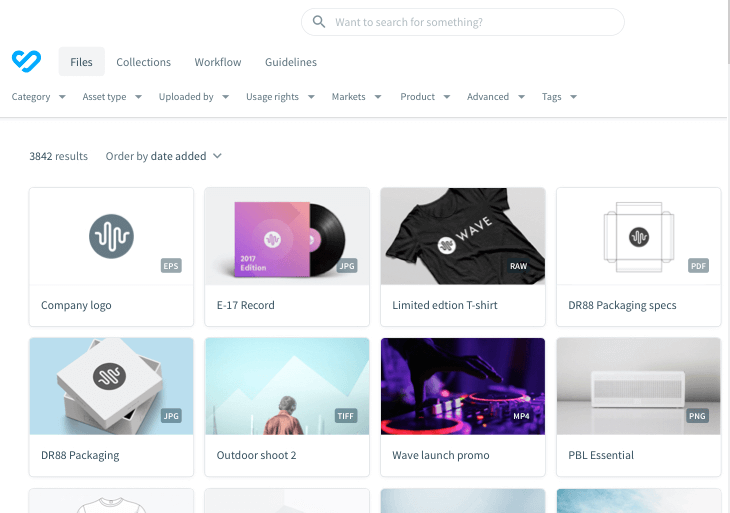
Bynder is a digital asset management platform that lets you store your creative files and prevent content chaos from happening.
I spoke with Michael Pedrotti, the co-founder of GhostCap, about his team's use of Bynder on projects that involve building and maintenance of game servers. "Bynder dragged us out of a total file mess...We had 47 logo variations and they were all over the place," he says, "Team members were spending half their working time in folders and getting a basic graphic passed took four days. Now, server diagrams are automatically tagged in Bynder and reviews happen the same day."
Who Is Bynder Best For?
Enterprise brand, marketing, and creative operations teams that need standardized asset governance and brand consistency across regions or business units.
Why I Picked Bynder
It provides cloud digital asset management delivered through a slick, clean interface. Bynder helps you create, find and use digital assets with streamlined collaboration and a focus on brand consistency across all markets and channels. Additionally, its Digital Asset Transformation (DAT) connects your current tech stack with the DAM so you can alter assets with features like resizing, focus, cropping, and removing asset backgrounds.
Just like DAT, many add-on modules complement this asset management platform. These include a brand guidelines module, creative workflow, analytics, content workflow and a video editing studio.
Bynder Key Features
There are several other features that make Bynder a standout choice for digital asset management.
- Bynder AI: Bynder's AI features help improve asset discovery and management and make it easier for your team to locate and utilize the right assets quickly.
- Content Workflow: This feature facilitates large-scale editorial content creation using structured text and approved assets, and it can help streamline your team's content production process.
- Custom Templates: This lets non-designers quickly personalize templates for various media formats, which broadens your team's creative capabilities.
- Analytics: Bynder offers insights into asset performance and usage metrics to help you make data-driven decisions to optimize your content strategy.
Bynder Integrations
Integrations include Slack, Adobe Creative Cloud, Adobe Experience Manager, Sitecore, Sitefinity, BloomReach, Drupal 7, Drupal 8, WordPress, Okta, Google, Hootsuite, Microsoft Active Directory, Collect.io, Shutterstock, SDL Tridion, Templafy, and TYPO3.
Pros and Cons
Pros:
- Built-in asset approvals
- Efficient search functionality allows quick access to assets
- AI features improve asset discovery
Cons:
- Enterprise-grade features overwhelming for small teams
- Limited customization options for certain functionalities
New Product Updates from Bynder
Bynder Expands Integrations for Content and Asset Workflows
Bynder introduces integrations with Salesforce Data 360, echo3D, FirstSpirit, monday service, Pixelz, and Frame.io. These updates enhance asset management, content workflows, and cross-platform collaboration. For more information, visit Bynder’s official site.
 .
.

Adobe Experience Manager (AEM) is a digital asset management platform that helps you organize creative files and deliver them across multiple channels. With its cloud-native setup, you can manage large content libraries and publish updates quickly.
Who Is Adobe Experience Manager Best For?
This tool is best for enterprise marketing and IT teams managing high-volume content publishing across global websites and digital channels within complex, cloud-based ecosystems.
Why I Picked Adobe Experience Manager
This tool is well-suited for enterprises that need both asset management and fast publishing capabilities. Its DAM component can automate sourcing, adapting, and distributing files, while the cloud-native architecture supports scaling documentation and content delivery. Together, these features help large teams reduce repetitive tasks and speed up publishing workflows.
Teams can also build responsive digital forms with secure e-signatures, deliver training with an integrated learning system, and manage documentation at scale through digital guides. These capabilities make AEM more than just a DAM—it’s also a content delivery hub.
Adobe Experience Manager Key Features
Adobe Experience Manager offers several other features that make it a solid choice for a digital asset management solution.
- User-Friendly Interface: This simplifies the organization and retrieval of assets, so your team can efficiently manage large volumes of content.
- Advanced Governance: With role-based permissions and compliance tools, you can maintain brand integrity and make sure assets are used appropriately across your organization.
- Asset Optimization: It helps you deliver personalized content across various channels, so your digital assets are tailored to meet specific audience needs.
- Performance Insights: By analyzing asset effectiveness, this feature helps you assess how well your assets are performing and informs future content strategies.
Adobe Experience Manager Integrations
Integrations include Adobe Experience Manager Sites, Workfront, GenStudio for Performance Marketing, Adobe Express, Creative Cloud, Adobe Firefly, Adobe Analytics, OneDrive, Dropbox, Adobe Developer App Builder, third-party systems via open APIs and SDKs, and the Micro-Frontend Asset Selector.
Pros and Cons
Pros:
- Strong integrations with Adobe Creative Cloud tools
- Cloud-native system supports faster publishing at scale
- DAM automation reduces time spent searching and reformatting
Cons:
- Limited customization options impact flexibility
- Complex setup may require technical expertise

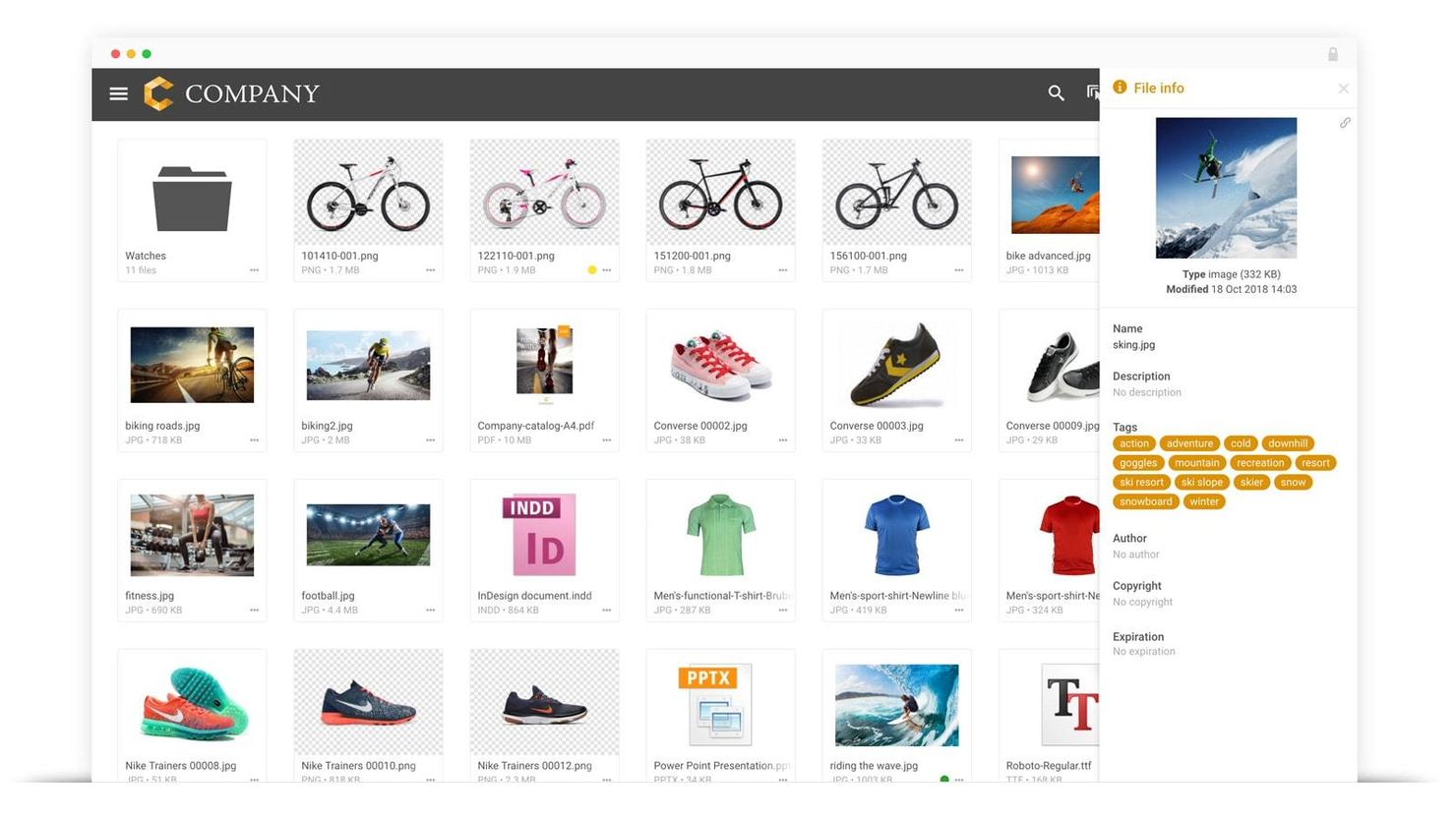
Filecamp is a digital asset management platform that helps marketing professionals get more value from their creative assets.
I spoke with Caspar Matthews of Electcomm Group Electrical & Data, which uses Filecamp on their projects. "Project records in our field can accumulate very fast and be difficult to control...The branded client portals let clients access individual documents they needed without our team spending hours sending files back and forth," he says.
It had a huge impact: "This saved us almost 30 percent of the time in the administration on one commercial fit-out project alone," he says.
Who Is Filecamp Best For?
Small to mid-sized organizations that require branded asset portals for internal teams or external stakeholders without enterprise-level complexity.
Why I Picked Filecamp
It lets you store all your images, videos, creative files, and presentations and easily find them, thanks to its powerful tagging functionality. You can upload files and folders, tag them manually or use the auto-tagging feature. Then, filter, sort, search, and download files in the original resolution or the one of your choosing.
If you are interested in your team collaborating on creative assets, Filecamp includes a proofing module where your team can engage in conversations around deliverables, suggest changes and go through approval workflows in a single place. Plus, you can do all this in a white-label product that you can make your own in a way only a few tools let you.
Filecamp Key Features
In addition to excellent organizational tools, Filecamp offers a range of other digital asset management features.
- Custom Branding: This lets you personalize your Filecamp interface with your company's logos and colors so you can provide a consistent brand experience across all user interactions.
- Granular Access Control: You can manage who has access to specific files and folders, so only authorized team members can view or edit sensitive data.
- Version Control: You can keep track of different versions of your files, access and restore previous iterations as needed, and maintain accuracy and quality.
- Advanced Searchability: This lets you utilize tagging and filtering options to quickly locate and retrieve digital assets to save time and improve workflow efficiency.
Filecamp Integrations
Integrations are not currently offered.
Pros and Cons
Pros:
- Customizable branding options for professional appearance
- Granular access controls improve security and collaboration
- Advanced search and tagging
Cons:
- Commenting limited to higher-tier plans
- You may need to pay for additional storage
New Product Updates from Filecamp
Filecamp Introduces Major Platform Enhancements
Filecamp introduces expanded storage through a migration to Azure, new dark and light modes, a flexible grid layout, and a new Tags control panel. These updates improve scalability, usability, and asset organization for creative teams. For more information, visit Filecamp's official site.
 .
.

Stockpress is a digital asset management (DAM) platform aimed at enhancing the organization, searchability, collaboration, and sharing of digital files for teams.
Who Is Stockpress Best For?
Creative and marketing teams at small to mid-sized companies that need structured, role-based access to shared brand and media assets.
Why I Picked Stockpress
I chose Stockpress because it’s uniquely designed to support role-based team collaboration, making it an ideal DAM for organizations that need a clear structure around who can access, edit, and manage digital assets. Its flexible collections system allows teams to organize files without duplication, while assigning roles and permissions to ensure each collaborator has the right level of access. This makes it easy for project managers, designers, marketers, and external partners to work together without compromising security or workflow clarity.
Stockpress Key Features
In addition, Stockpress offers several other capabilities that provide value for digital asset management.
- AI-Powered and Custom Tagging: Helps teams find what they need quickly and accurately.
- Customizable Metadata: This feature lets you add personalized metadata fields, which makes it easier for your team to categorize and search for assets based on unique criteria.
- Batch Uploading and Editing: You can streamline your workflow and save time by uploading multiple files at once and applying changes to several assets simultaneously.
- Secure Sharing Links: You can share digital assets with external partners through secure links, which provides peace of mind that your data is protected during collaboration.
Stockpress Integrations
Integrations include Webflow, Adobe Illustrator, Adobe InDesign, Adobe Photoshop, Box, Canva, Dropbox, Google Drive, Klaviyo, Mailchimp, Slack, and Okta.
Pros and Cons
Pros:
- Useful AI tagging features
- Handles large asset volumes
- Can create custom collections for assets
Cons:
- File migration support limited to enterprise plan
- Could offer more integrations
New Product Updates from Stockpress

Stockpress Introduces Integrations and AI Image Editing Enhancements
Stockpress introduces Canva integration, AI Image Editor enhancements, file Trash, Adobe InDesign plugin, and Custom Fields. These updates help teams streamline design workflows, improve image editing, and better manage digital assets. For more information, visit Stockpress’s official site.
 .
.

Scaleflex is a GDPR-compliant digital asset management platform that is software-agnostic and helps teams store, manage, optimize, share, and accelerate all digital and media assets.
Who Is Scaleflex Best For?
Technology and digital product teams at mid-sized to enterprise organizations that require MACH-aligned infrastructure for managing and optimizing digital media assets.
Why I Picked Scaleflex
I chose Scaleflex because it’s MACH-certified and built around a modern architecture that aligns with microservices, API-first, cloud-native, and headless design to give you flexibility as you grow. Its features include headless digital asset APIs, widget and plugin support for embedding media libraries, and visual-AI capabilities like auto-tagging and transformation of assets. You can integrate it into your existing stack such that your image and video handling is driven by APIs and fits the way you already build.
The user interface is offered in more than 8 languages, which is great for global, remote teams. Also, custom permissions and user roles let everyone on the team enjoy a personalized solution. You can set rules and prevent duplicated assets in the media library, as well as roll back to previous versions if someone uploaded the wrong item.
Scaleflex Key Features
Scaleflex also offers several other features that can improve digital asset management for your team.
- Visual Catalog Management: This feature lets you efficiently ingest and optimize large volumes of assets and streamline the organization of your visual content.
- Web & Multi-Device Optimization: You can improve asset performance across various devices and for different channels to make sure your assets look great everywhere.
- Content Moderation: You can easily moderate visual content, which is particularly useful for user-generated content and can help you maintain quality and brand standards.
- Visual Content Syndication: This lets you control and increase conversions through effective syndication of your visual content and reach broader audiences while maintaining consistency.
Scaleflex Integrations
Integrations include Adobe Creative Cloud, WordPress, Adobe Commerce, Canva, Opencart, Kontent, Pabbly Connect, Sylius, Akeneo, Prismic, and Zapier. There are also headless APIs for custom integrations.
Pros and Cons
Pros:
- AI-powered automation capabilities
- Integrates well with various tools
- Supports large-scale asset libraries
Cons:
- Some users find the interface complex initially
- Lower-tier plans limited to one project

For businesses looking for a digital asset management solution, Tagbox offers a strong mix of AI-powered tools designed to bring structure to growing media libraries. It’s especially well-suited to retail brands, event-driven teams, and creative agencies that need to manage large volumes of photos and videos over time. By turning scattered media into a searchable, organized library, Tagbox helps teams collaborate more efficiently and spend less time hunting for assets.
Who Is Tagbox Best For?
Marketing and ecommerce teams at mid-sized organizations that rely on AI-powered visual search to organize and retrieve image-heavy asset libraries.
Why I Picked Tagbox
I picked Tagbox for its practical AI features that make managing large image and video libraries easier at scale. Its face recognition tools let teams quickly identify and group photos of staff, guests, or attendees, which is particularly useful for events and marketing workflows. Tagbox’s AI-powered visual search also makes it easier to find specific assets inside extensive libraries, reducing reliance on manual tagging and saving time for busy teams.
Tagbox Key Features
In addition to its impressive AI capabilities, Tagbox offers several other features that enhance its value as a digital asset management tool.
- Smart Tagging & Instant Organization: This feature allows your team to add custom metadata like client names and locations, ensuring assets are organized and easily retrievable.
- Video Management: Tagbox provides advanced video analysis, making every second of footage searchable, which is beneficial for media teams handling vast video content.
- Collaboration Tools: You can create shareable collections and set permissions, facilitating collaboration with clients and vendors.
- Powerful Management Tools: The platform gives you control over user permissions and tagging preferences, alongside analytics to gain insights into asset usage.
Tagbox Integrations
Connect Tagbox.io through Tagbox Desktop (drag-and-drop into any app), Zapier, Make, and a REST API. Custom workflows are available for Enterprise.
Pros and Cons
Pros:
- Custom tagging for video libraries
- Face recognition improves asset discovery
- AI-powered video asset organization
Cons:
- Limited offline access options
- No built-in video editing


Pics.io is a digital asset management (DAM) platform built for mid-market, growing teams that need a scalable solution for collecting, organizing, managing, and distributing digital assets in multiple formats. It allows users to store assets in a centralized cloud library, where users can easily search and retrieve files.
During a recent conversation with Baris Zeven, the CEO of Bookyourdata, he highlighted how his team uses Pics.io to create efficiency. "Specific searches of information are made possible through the capability to label the assets with particular keywords, which saves us considerable time when we need to locate a given file," he says.
It's also increased "productivity between teams as sharing of common digital assets becomes easier," he explains.
Who Is Pics.io Best For?
Mid-market marketing and content teams seeking centralized asset management with scalable storage and collaboration capabilities.
Why I Picked Pics.io
This software offers unlimited storage by connecting directly to your own Google Drive or Amazon S3 cloud—so you always retain full control over your assets without being tied to a proprietary system, and avoid paying for space you already own. The tool supports a wide range of file formats, including images, videos, audio files, documents, and even 3D models. You can also create collections to group related digital assets, use metadata for easy search and organization, and compare different versions of files.
The tool's version control feature allows you to track changes and revert to previous file versions. This means your existing links never become broken and always show the latest approved version of the file. Collaboration features such as commenting, tagging users, and approving assets are also available and facilitate teamwork on digital projects. Other features allow you to share assets with team members or external parties, customize the interface with branding, and analyze asset usage with built-in reporting tools.
Pics.io Key Features
Pics.io offers a variety of features that can help you better manage your digital assets and workflows.
- Batch Actions: This feature lets you perform multiple file actions simultaneously, which saves valuable time and can help streamline your workflow.
- Communication Center: You can keep your team updated with notifications about changes through email, a notification center, or Slack, so everyone is in the loop.
- Website Creation: You can create online websites from your collections using customizable templates.
- Search Functionality: With the powerful search engine, you can easily find assets by titles, keywords, and metadata, which makes retrieval quick and effortless.
Pics.io Integrations
Integrations include Google Drive, Dropbox, Amazon S3, Shopify, Slack, Adobe Suite, Figma, Hootsuite, HubSpot, Salesforce, Trello, Zoho CRM, Zapier, and others via API.
Pros and Cons
Pros:
- Advanced metadata management improves organization
- Powerful search function
- Dynamic AI-based tagging
Cons:
- Some metadata features paid add-ons
- Larger files occasionally take more time to load
New Product Updates from Pics.io
Pics.io Adds AI Keyword Asset Filtering
Pics.io now supports filtering by AI-generated keywords to speed up finding and managing assets. For more information, visit Pics.io's official site.
 .
.

4ALLPORTAL’s digital asset management software is designed to help businesses of all sizes simplify the management of their digital assets, from archiving to searching to sharing.
Who Is 4ALLPORTAL Best For?
Manufacturing, retail, and product-driven organizations that need integrated digital asset management and product information management within a single platform.
Why I Picked 4ALLPORTAL
I like 4ALLPORTAL's integrated DAM and PIM features that utilize a unique data model. Digital assets, such as product images, and product information, such as descriptions, can be linked to products within the 4ALLPORTAL, so when you edit the product image or text, the related products are automatically updated across all integrated channels, such as the online store, website, or marketplaces.
This software also offers a powerful search function to ensure faster file searches, and users can use tagging to attach keywords and descriptions to individual assets, helping with targeted searches.
Furthermore, 4ALLPORTAL features full-text search and Optical Character Recognition (OCR) to help users locate files and documents faster. They can use the full-text search function to search their stock of documents for specific phrases, text modules, or records, while the OCR text recognition feature is useful for making image files with text content easily searchable for whatever information they need.
4ALLPORTAL Key Features
4ALLPORTAL offers a range of additional features that can help you better manage digital assets across your projects.
- Version Control: This feature lets your team track changes and access previous versions of assets to maintain clarity and prevent confusion.
- User Permissions: With customizable access controls, you can secure sensitive data and manage who can view or edit specific assets.
- Workflow Management: This includes automated processes for streamlining tasks and improving collaboration, which helps your team work more efficiently.
- Advanced Search Functionality: You can use sophisticated filters to quickly retrieve assets, boost productivity, and minimize time spent searching.
4ALLPORTAL Integrations
Integrations include Adobe Creative Cloud, Active Directory, Chili Publisher, Dropbox, Hootsuite, Jira, Adobe Commerce, and Slack. Additionally, it has a RESTful API that you can use to manually connect third-party systems.
Pros and Cons
Pros:
- Scalable with the needs of a growing business
- Workflow automation capabilities
- Support for multiple language translations
Cons:
- Interface can be challenging to navigate
- Customizing the portal may require a time investment
New Product Updates from 4ALLPORTAL
4ALLPORTAL Integrates OAuth2 for Microsoft Office 365
4ALLPORTAL has introduced support for Microsoft Office 365's SMTP OAuth2, enhancing secure email communication. For more information, visit 4ALLPORTAL's official site.
 .
.Other Digital Asset Management Software
Here are some asset management system examples that didn’t make the list, but are great options to expand your research.
- Cloudinary
For dynamic media transformations
- ImageKit
For AI-powered DAM with media delivery
- Canto
For external file sharing
- Lingo
For unlimited brand kits
- Brightspot
For smart search and filters
- Wedia
For digital experience
- Artwork Flow by Bizongo
For packaging design
- MarcomCentral
For AI-assisted asset tagging
- DemoUp Cliplister
For secure access control
- Eagle App
For design project organization
- Daminion
For dynamic asset deployment
- Sesimi
For creative automation
- MediaBeacon
For large organizations
- ClickUp
For file storage integrations
- monday.com
For collaborative workflows
- Acquia DAM (Widen)
For configuration and customization
- Smartsheet
For project asset management
- Brandfolder
For enterprise brand asset management and performance analytics
- Papirfly
For centralized brand portals
- StreamWork
For real-time digital asset feedback
- Connecter Suite
For visual asset browsing


Related Project Management Reviews
- Project Management Software
- Project Management Tools
- Digital Marketing Project Management Software
- Learning Management Systems
- Document Management Systems
- Time Tracking Software
- Business Intelligence Tools
- DAM Software for eCommerce
- Document Verification Software
Selection Criteria For Digital Asset Management Software
Selecting a digital asset management (DAM) system requires a careful evaluation of functionality and the ability to meet specific use cases that align with your organizational needs, pain points, and the objectives of quick delivery of project assets, efficient organization of collateral, and rapid retrieval of information.
Drawing from personal trials and extensive research into the capabilities of various digital asset management solutions, I've developed criteria to guide the selection process. These criteria are designed to highlight the features most crucial to effective media asset management.
Core Digital Asset Management Software Functionality (25% of final scoring):
Common features for digital asset management systems typically include asset storage, version control, metadata management, search and retrieval capabilities, access controls, integration with other tools, real-time collaboration, reporting and analytics, customizable workflows, and scalability.
To be considered for inclusion on my list of the best digital asset management system software, the solution had to support the ability to fulfill common use cases:
- Storing assets from multiple formats, including rich media files, video, image, documents, and source files. For teams handling large volumes of multimedia, choosing a DAM software for video can streamline how these files are stored, accessed, and retrieved.
- Quick search and retrieval of assets using metadata and tags
- Seamless collaboration across different teams and departments
- Secure sharing of assets with external stakeholders
- Integration with other key business tools and platforms
Additional Standout Features (25% of final scoring): I looked at any features that incorporate new technologies or move the needle in terms of innovation in this space. Examples include unique AI-driven tagging and metadata management capabilities, enhancing searchability and organization of assets.
Usability (10% of final scoring): Creative asset management software should be easy to use. I considered intuitive user interfaces that simplify navigation and asset management, including easy filtering or tagging interfaces. I also analyzed the balance between powerful functionality and ease of use to accommodate users with varying levels of technical expertise.
Onboarding (10% of final scoring): I look at the availability of comprehensive training materials such as videos, templates, and interactive product tours. Also, support availability for easy data migration to facilitate a smooth transition from existing systems to the DAM platform, and initial setup assistance, including customizable settings and preferences to match organizational workflows.
Customer Support (10% of final scoring): Responsive and knowledgeable customer service teams should be available through multiple channels (e.g., live chat, email, phone). I also look at knowledge bases or community forums for self-service support.
Value For Money (10% of final scoring): I believe that an asset management system should always give you more value than its cost. Therefore, I considered:
- Competitive pricing that reflects the asset management program's feature set and scalability.
- Transparent pricing models that accommodate businesses of different sizes and needs.
- Long-term ROI through efficiency gains and improved asset management.
Customer Reviews (10% of final scoring): The users can paint a picture of what marketing asset management software can do in different use cases. Therefore, I research user feedback across various metrics, including usability, customer support, and overall satisfaction, positive reports of the asset management technology's impact on project delivery times and collaboration efficiency, and testimonials highlighting specific benefits realized by organizations in relevant industries or with similar use cases.
How To Choose Digital Asset Management Software
With so many different digital asset management software solutions available, it can be challenging to make decisions on what digital asset management software is going to be the best fit for your needs. You may even want to consider creating a digital asset management RFP to help you compare your options.
As you're shortlisting, trialing, and selecting digital asset management software consider the following:
- What problem are you trying to solve - Start by identifying the digital asset management software feature gap you're trying to fill to clarify the features and functionality the digital asset management software needs to provide.
- Who will need to use it - To evaluate cost and requirements, consider who'll be using the software and how many licenses you'll need. You'll need to evaluate if it'll just be the project team, or the whole organization that will require access. When that's clear, it's worth considering if you're prioritizing ease of use for all, or speed for your digital asset management software power users.
- What other tools it needs to work with - Clarify what tools you're replacing, what tools are staying, and the tools you'll need to integrate with, such as accounting, CRM or HR software. You'll need to decide if the tools will need to integrate together, or alternatively, if you can replace multiple tools with one consolidated digital asset management software.
- What outcomes are important - Consider the result that implementing DAM software needs to deliver to be considered a success. Consider what capability you want to gain, or what you want to improve, and how you will be measuring success. For example, an outcome could be the ability to get greater visibility into performance. You could compare digital asset management software features until you’re blue in the face but if you aren’t thinking about the outcomes you want to drive, you could be wasting a lot of valuable time.
- How it would work within your organization - Consider the software selection alongside your workflows and delivery methodology. Evaluate what's working well, and the areas that are causing issues that need to be addressed. Remember every business is different — don’t assume that because a tool is popular that it'll work in your organization. Digital asset management demos are a great way to get a feel for this.
If you’re still in the exploratory phase, starting with a free digital asset management software option can help you get hands-on experience with features like centralized storage, version control, and real-time collaboration before making a long-term investment.
Trends In Digital Asset Management Software
Digital asset manager software has seen significant evolution, driven by digital asset management software companies recognizing the need for teams to organize information efficiently and leverage a centralized database to speed up design and delivery times. The developments from digital asset management vendors in this field are crucial for project managers, especially in creative and marketing domains, where managing a vast array of digital assets is a daily challenge.
Here's a summary of the current trends and features in the DAM software market:
- AI-Driven Efficiency: AI technologies like auto-tagging and metadata extraction are rapidly evolving, enhancing searchability and organization of assets. Tools like Wedia and MediaValet incorporate advanced indexing, editable metadata, and AI-driven recognition features to streamline sorting and search processes.
- Integration and Workflow Automation: Digital content management software solutions are increasingly focusing on integrating with other tools and automating workflows. For example, several tools have begun integrating with creative suites like Adobe to allow designers to work from their favorite tools and save and retrieve their work directly from the digital asset manager.
- Enhanced Security and Granular Permissions: With the rise of cybersecurity threats, data asset management software now offers advanced security protocols. Amplifi, for instance, provides granular permission settings and audit trails to give users greater control over their digital assets.
Most Rapidly Evolving Features
- Dynamic Asset Distribution: Tools like DemoUp Cliplister provide dynamic imaging technology and product content syndication services, enabling brands to share content directly with online retailers.
Most Important and In-Demand Features
- Real-Time Collaboration and Automated Tagging: The ability to collaborate in real-time and use automated tagging for quick asset classification is highly sought after. Box and MediaValet exemplify these functionalities, emphasizing user-friendly interfaces.
Declining Trends
- Conventional Folder-Based Searches: With the advent of tag-based and AI-enhanced searches, the traditional method of organizing files in folders is becoming less crucial.
What Is Digital Asset Management Software?
Digital asset management (DAM) software is a centralized system for storing, organizing, and distributing digital content like images, videos, documents, and brand assets.
Teams use DAM software to manage file versions, set access permissions, and ensure brand consistency across campaigns. It’s especially helpful for marketing, creative, and content teams that need fast access to up-to-date assets and efficient collaboration across departments or clients. However, people outside of these industries, like educators, can also leverage the power of this software through DAM software for universities.
Features of Digital Asset Management Software
When selecting digital asset management software, keep an eye out for the following key features.
- Centralized asset repository: A single, organized location where you can easily store, manage, and retrieve digital files without digging through scattered folders.
- Metadata management: The ability to add, edit, and organize descriptive information for each asset, which lets you categorize and find files based on keywords, dates, or custom tags.
- Advanced search functionality: Powerful search tools that let you quickly locate assets using filters, metadata, or even partial matches to save time and frustration.
- Version control: A built-in system to track changes, manage revisions, and restore previous versions of files so you can collaborate without losing important updates.
- Access permissions and user roles: Customizable settings that let you control who can view, edit, or share assets to protect sensitive materials and keep workflows organized.
- Asset preview and playback: Instant previews for various file types (e.g. images, videos, or documents) so you can spot the right file at a glance without opening them all.
- Integration capabilities: Options to connect with other tools like project management platforms, creative suites, or cloud storage solutions to improve your workflow and reduce manual work.
- Workflow automation: Tools to automate routine processes such as approvals or asset distribution, cut down on repetitive tasks, and boost productivity.
- Audit trails and reporting: Detailed logs that track who did what and when to provide insight into asset usage and improve accountability across your team.
- Bulk upload and management: The ability to add and organize multiple files at once and save time during large projects or onboarding phases.
AI Features to Look for in Digital Asset Management Software
Many digital asset management software solutions also include AI-powered features.
- Automatic tagging and metadata generation: AI can analyze assets and automatically assign relevant tags to save time and maintain consistency.
- Image and video recognition: Advanced recognition tools can identify objects, faces, and scenes within your media and make it easier to search and categorize files.
- Smart search and recommendations: AI-driven search capabilities can suggest related assets and improve search accuracy based on user behavior and context.
- Content moderation: Automated tools can flag inappropriate or duplicate content to help you maintain quality and compliance.
- Transcription and captioning: AI can generate transcripts for audio and video files and make your assets more accessible and searchable.
- Automated file organization: Intelligent sorting and grouping of assets based on usage patterns, content type, or project relevance.
Benefits of Digital Asset Management Software
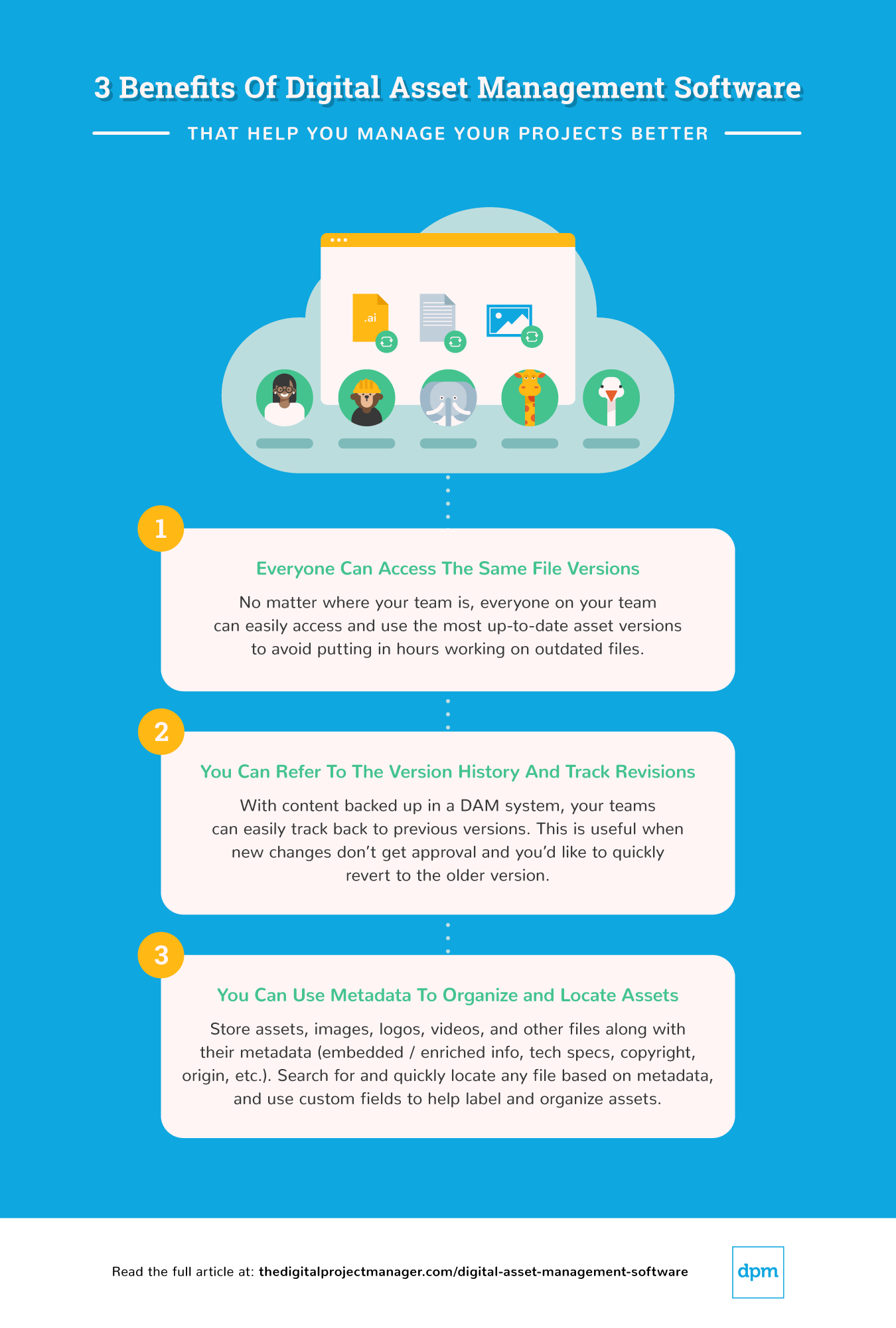
Here are five significant benefits that a digital content management app can provide to its users and organizations:
- Centralized Asset Repository: Provides a single source of truth for all digital assets. Having a centralized location for storing and accessing digital assets eliminates redundancies, reduces the risk of using outdated assets, and saves time otherwise spent searching for assets across multiple platforms.
- Enhanced Security and Control: Offers advanced permissions and access controls. This benefit ensures that sensitive assets are protected and only accessible by authorized users, thereby enhancing the security of digital content and reducing the risk of unauthorized access or distribution.
- Streamlined Collaboration and Sharing: Facilitates easy sharing and collaboration on digital assets among team members. By simplifying the process of sharing and collaborating on assets, and approvals, asset management apps can help speed up project timelines and improve communication among project stakeholders.
- Improved Asset Discoverability: Using metadata, tags, and advanced search capabilities drastically reduces the time needed to find the right assets, improving productivity and ensuring that projects move forward more smoothly without unnecessary delays.
- Scalability and Flexibility: Adapts to the growing needs of the organization. As projects and asset volumes grow, asset management software tools can scale to accommodate increased demand, ensuring that organizations can manage their digital assets efficiently, regardless of size or complexity. These benefits are particularly valuable for mission-driven teams using digital asset management software for nonprofits, where budgets may be tighter, but the need for efficient and organized content distribution is just as critical.
When Should You Get Digital Asset Management Software?
If your organization deals with a growing number of digital assets, investing in asset management software solutions may be necessary to stay efficient. Here, I have listed some key indicators that suggest it's time to adopt an asset manager program:
- Resource-Intensive Asset Management: If managing your digital assets starts to consume too much time and effort, a simple asset management software can streamline organizing, storing, and retrieving assets.
- Accessibility Issues: Struggling to find and share assets across teams is a common issue. If asset accessibility is becoming an issue for your team, asset management platform technologies can provide secure, centralized access, ensuring your team can find and use the assets they need.
- Collaboration Bottlenecks: If your projects are being delayed due to poor asset sharing and version control, DAM integration can resolve these issues by providing real-time access and collaborative tools within the assets management system.
- Security Concerns: Protecting valuable digital assets is vital to maintaining your organization's integrity, confidentiality, and availability of information. An asset protection software can help safeguard against unauthorized access or data loss, ensuring that your assets are safe within the best asset tracking software platforms.
Cost & Pricing For Digital Asset Management Software
For many, digital asset management pricing is one of the most important factors to consider when making your choice. These tools typically offer a range of plans to accommodate the diverse needs and budgets of different organizations. However, most plans also fall into similar categories, with providers offering tiered plans that include comparable features and price points at each level.
Given the variety of options available, it is important to understand the different plan and pricing structures in order to make informed decisions. By staying aware of common pricing trends, you can ensure you're not overpaying for common features or features you won't use.
Here's a breakdown of common plan options and their pricing for DAM software:
Comparison Table For Digital Asset Management Software
| Plan Type | Average Price | Common Features Included |
|---|---|---|
| Basic | $0 - $20 per user/month | - Basic asset storage and organization - Basic search functionality - Limited file sharing capabilities |
| Professional | $25 - $100 per user/month | - Advanced search capabilities - Greater storage capacity - Version control - Basic integration options |
| Enterprise | Custom pricing | - Customizable workflows - Unlimited storage - Comprehensive integration options - Advanced security features |
| Free Option | $0 | - Limited asset storage - Basic search and filter capabilities - File sharing with some restrictions |
When choosing a plan, it is important to consider your organization's size, the volume of assets to be managed, and the level of collaboration required. Moreover, the best media asset management software should not only fit your current needs, but also scale with your organization's growth. As such, understanding both the exact plan you want and your options for scaling the software is essential for making the right decision.
For example, basic or free plans are perfect for individuals or small teams with web-based digital asset management needs. Standard plans suit businesses requiring detailed reporting and software integration. Professional plans offer extensive features for larger teams managing complex projects. Premium or enterprise plans cater to large organizations needing advanced security and compliance features.
Common stages where your company may want to upgrade its pricing plan include:
- Increased Volume of Digital Assets: As digital content grows, advanced organization and storage features become critical for effective management.
- Advanced Workflow and Collaboration Needs: As projects become more complex, teams might seek more sophisticated workflow automation, version control, and collaboration tools.
- Expansion of User Base: As the DAM user base expands, teams may need more user licenses and granular permissions.
- Enhanced Security and Compliance Requirements: Robust security features and compliance certifications are crucial for companies facing stricter standards as they scale.
- Integration with Other Enterprise Systems: As the company's tech stack grows, integrating the DAM tool with other systems becomes necessary for streamlined operations.
Digital Asset Management Software Frequently Asked Questions
Here are the answers to some basic questions about digital asset management software.
How does DAM relate to project management?
If you’re a project manager in a field like marketing, media, retail, or healthcare, your organization is likely to use a DAM system as a central tool for collaboration, communication, and file sharing. Here’s how you might use a DAM software tool as a project manager.
- Resource organization: DAM tools help you organize and manage all the digital assets involved in a project. It provides quick and easy access to necessary resources such as images, documents, videos, etc. to save time and decrease misplaced or lost assets.
- Collaboration: DAM systems lets team members access, share, and edit digital assets from one central location. This increases collaboration and feedback opportunities between team members and clients. You can also cut down on duplication of work and make sure everyone is working with the most up-to-date version.
- Efficiency: By keeping all assets in one place, your team no longer has to search through various locations to find files. This increases the efficiency of your project workflows and reduces delays.
- Control and security: DAM lets you control who has access to what resources, protect sensitive information, and maintain security.
- Cost management: DAM software can help you avoid duplicate work and save team member time, thereby saving costs.
Can I use Google Drive, Dropbox, and Sharepoint as a DAM?
No, Google Drive, Dropbox, and Sharepoint should not be used as DAM software tools. While these tools share similarities with DAM systems, true DAM tools offer extra functionality that project managers will find necessary, including:
- The ability to proof and approve content
- Resizing images in a few clicks and changing video formats for different exporting needs
- File sharing via integrations (including sending files to your designers directly in Photoshop or their preferred software)
- Advanced metadata tagging
What is the difference between a CMS and a DAM?
The difference between a content management system (CMS) and a digital asset management tool is that a CMS stores files and information used on a specific website, whereas DAM software stores any digital asset being used in your company.
This includes those assets on your website, as well as marketing collateral, proposals and other project documentation, or images for email signatures, to name a few examples.
What are some best practices for organizing assets in DAM software?
Here are a few best practices for organizing your assets in a DAM system:
- Consistent naming conventions: Stick to a clear, descriptive naming convention for your files. This makes it easier to search and identify assets quickly.
- Use metadata: Tag assets with relevant information like keywords, creator, usage rights, and project names to improve searchability and organization.
- Folder structures: Develop a logical folder structure that reflects your team’s workflow or project phases. This helps maintain order and simplify navigation.
- Version control: Keep track of revisions and updates to avoid confusion over which version is the most current.
- Regular audits: Schedule periodic reviews of the assets in your DAM tool. Remove outdated assets and reorganize folders as needed.
How does DAM software handle metadata management?
Here’s a brief summary of how metadata management works in DAM software. When you upload an asset, the software can automatically extract data like file size, creation date, and format.
You can also create custom metadata fields to suit your project’s specific needs (e.g. fields for campaign names, asset rights, or project codes). Most tools also allow for bulk editing. Make sure to create and enforce a clear metadata system. If you organize and use metadata effectively, you can quickly and easily find the assets you need.
What is the difference between SaaS and on-premise digital asset management software?
SaaS DAM software is cloud-based—you can log in from anywhere and updates happen automatically. On-premise DAM runs locally on your organization’s servers. This offers more control and security, but you’ll need IT resources for setup and maintenance.
How can I make sure my team actually adopts our DAM software?
Start with a clear rollout plan and give practical training sessions. Encourage team feedback and adjust folder structure or permissions as you go. Champion small wins—like the team being able to quickly find and update project assets. Assign DAM “super users” on the team to help drive adoption and support the rest of the team.
What support and training options are important when onboarding your team to DAM software?
Look for DAM vendors that offer live chat or phone support, onboarding webinars, video tutorials, and a searchable help center. It’s helpful if the vendor provides team training or a dedicated success manager for smoother adoption, especially if your workflows are complex.
What's Next?
Want to connect with other digital project managers to share resources and best practices? Join our membership community and get access to 100+ templates, samples, and examples and connect with 100s of other digital project managers in Slack.